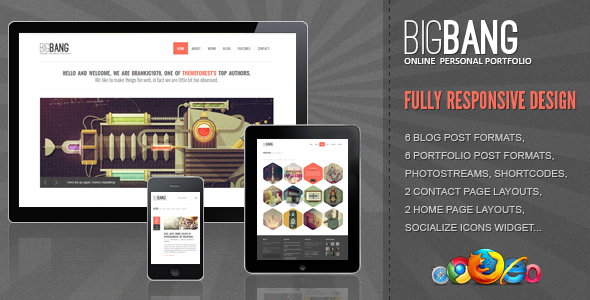
The slider theme market is shrinking. Premium theme developers are cutting their budgets for creating new slider-focused designs, partly because they need to spend more on building fast, accessible themes and partly because they suspect that heavy sliders do not work well for user experience. To make the best use of a smaller selection, designers and site owners alike will have to prioritize. One of the best approaches would be to concentrate more on performance and on slider implementations that have been proved to work effectively.
A Practical Guide to Choosing and Using a Slider WP Theme
If you're set on using a slider theme, the key is to be selective and strategic. Not all slider themes are created equal, and a poor choice can hurt your site more than help it. Think of the slider as a highlight reel, not the entire show. It should showcase your absolute best content—be that key products, a major announcement, or stunning portfolio pieces—without becoming a distraction. The goal is to engage visitors immediately, not make them wait through a slow, auto-rotating carousel of irrelevant images. A good starting point is to look for themes that offer slider customization without locking you into a single, bulky plugin, giving you more control over the final look and feel.
- Step 1: Define Your Purpose: Before you even browse themes, ask yourself what the slider must achieve. Is it for conversions, storytelling, or visual appeal? This will dictate the features you need.
- Step 2: Prioritize Performance: Always test the demo of a slider theme using a tool like Google PageSpeed Insights. A beautiful slider is useless if it makes your site load slowly.
- Step 3: Check Responsive Behavior: View the theme demo on your phone. The slider should adapt gracefully, with readable text and touch-friendly navigation, not just shrink awkwardly.
- Step 4: Review Customization Options: Look for themes that let you control transition speed, autoplay settings, and navigation arrow styles. Flexibility is crucial for matching your brand.
- Step 5: Install and Configure Carefully: After purchase, install the theme on a staging site first. Configure the slider with your own optimized images and content, following the theme's documentation closely.
What are the best free slider WordPress themes?
Finding a quality free slider WordPress theme requires a keen eye. Many free options bundle limited slider functionality to encourage upgrades, but gems do exist. Focus on themes from the official WordPress.org directory with high ratings and active support forums. Look for themes that use the native WordPress Customizer for slider settings, as this offers a safer and more standardized way to make changes. Popular free themes often have slider capabilities through dedicated blocks or sections designed for the Site Editor or classic page builders.
When evaluating, test the demo thoroughly. Check if the slider works smoothly on mobile devices and if you can control basic elements like slide order and button text. Be prepared to supplement the theme with a dedicated slider plugin if the built-in features are too basic for your needs. Remember, even with a free theme, investing in a professional site audit can reveal performance bottlenecks the slider might create, ensuring your free choice doesn't come with hidden costs in site speed.
How do I add a slider to my WordPress homepage?
Adding a slider to your WordPress homepage depends largely on your theme. Many modern themes include a dedicated homepage section or block for a hero slider. You would typically edit your homepage via the Customizer or the Full Site Editor and look for options labeled "Hero," "Slider," or "Banner." Here, you can upload images, add headlines, and link buttons. If your theme lacks this, you'll need a slider plugin. After installing a plugin like Smart Slider 3 or MetaSlider, you create a new slider, add your slides, and then embed it using a shortcode or block on your homepage.
The exact steps for setting this up can vary, so it's always best to consult your theme's specific documentation. For a detailed walkthrough on preparing your homepage for this kind of addition, you can read our guide on configuring your WordPress front page. The key is to ensure the slider integrates seamlessly with your overall design and doesn't look like a tacked-on afterthought.
Are slider themes bad for SEO?
Slider themes are not inherently bad for SEO, but they can easily become SEO liabilities if implemented poorly. The main risks come from slow loading times, as search engines prioritize page speed. Heavy image files and complex scripts common in some slider themes can significantly delay page rendering. Furthermore, content placed within slider images is often not as easily crawlable as standard HTML text, potentially missing keyword opportunities. To mitigate this, choose a well-coded theme, optimize every image for the web before uploading, and ensure any critical text is also present in the page's regular content.
What should I look for in a premium slider theme?
When investing in a premium slider theme, look beyond the flashy demo. First, examine the code quality and commitment to speed. The theme should be built on a reliable framework; many top themes utilize the popular Bootstrap framework for responsive consistency. Check for clean, efficient code and options to reduce and minify CSS and JavaScript files. Second, evaluate the slider's customization depth: can you control every aspect of transitions, responsiveness, and typography? Finally, review the developer's support history and update frequency to ensure long-term compatibility and security.
| Feature | What to Look For | Why It Matters |
|---|---|---|
| Performance | Lightweight code, lazy loading options | Directly impacts page speed and SEO rankings. |
| Mobile Responsiveness | True adaptive behavior, touch controls | Most traffic is mobile; a broken slider loses visitors. |
| Content Flexibility | Support for video, text overlays, buttons | Allows for dynamic and engaging storytelling. |
| Plugin Independence | Slider built into theme core or shortcode-based | Reduces plugin bloat and potential conflicts. |
| Support & Updates | Regular updates, active support forum | Ensures compatibility with future WordPress releases. |
Can I use a slider theme for an e-commerce site?
Yes, you can use a slider theme for an e-commerce site, but with caution. The slider should serve a clear conversion purpose, such as highlighting flash sales, new collections, or key value propositions. Avoid using it for purely decorative purposes. For an online store, every element must guide the visitor toward a product and ultimately a purchase. Ensure the theme is fully compatible with your chosen e-commerce plugin, like WooCommerce, and that the slider displays correctly on product pages. The loading speed is even more critical for e-commerce, as delays directly impact sales and bounce rates.
How do I make my WordPress slider load faster?
To make your WordPress slider load faster, start by optimizing all images. Use a tool to compress images without losing quality and serve them in next-gen formats like WebP. Enable lazy loading so the slider only loads when it enters the viewport. Choose a theme or plugin that allows you to delay non-essential slider scripts. Furthermore, a clean, organized sidebar using purposeful WordPress widgets can improve overall page layout and performance, making the slider's impact less pronounced. If your slider is still slow, consider replacing it with a static hero image or a simpler, CSS-based animation, which can often be more effective.
Boost Your WordPress Site with Professional Help from WPutopia
Managing a WordPress site, especially one with specific design elements like a slider theme, can be time-consuming. At WPutopia, I provide dedicated WordPress services to handle the technical details for you. From routine WordPress maintenance and theme upgrades to secure plugin installation and performance tuning, I ensure your site runs smoothly, remains secure, and continues to engage your visitors effectively. Whether you need to integrate marketing tools like Mailchimp or HubSpot or require a staging environment to test changes privately before publishing, these services are designed to give you peace of mind.
My goal is to help you focus on your content and business while I manage the platform. Instead of worrying about updates, compatibility, or speed issues, you can rely on professional support to keep your site—slider and all—operating at its best. Let's work together to build a fast,