You are getting many impressions from Google for your existing posts. But unfortunately not getting any clicks for all those keywords.
Now if you can use those keywords in your post or put them in a new paragraph, FAQs, or inside of content, your visitors will increase a lot.
To find these keywords, you can use Google Search Console.
Let’s see the steps to find these golden keywords,
1st Step: Go to the Google Search Console > Select 6 Months > click on the New > choose Page > paste the Content URL that you want to optimize.

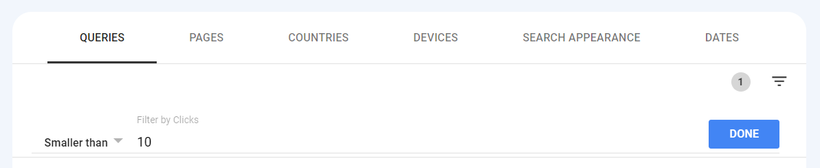
2nd Step: From the Filter icon, choose the Clicks.
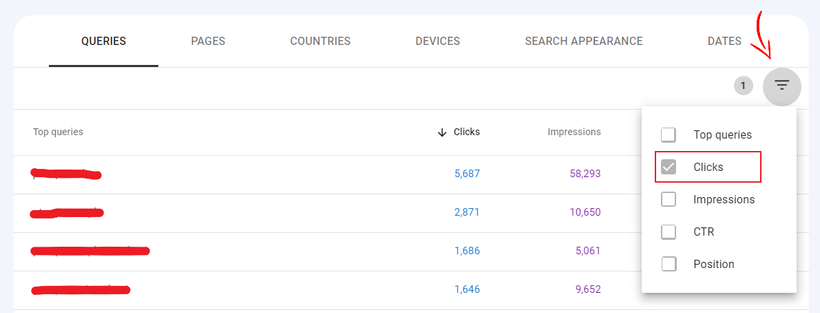
3rd Step: Select Smaller Than and put 10 or any, but not more than 30.
4th Step: Press the Impression icon so that you will get the high-impression keywords.

5th Step: Now, use these keywords on your existing content paragraphs, post title (if possible), meta description (if possible), images, faqs, etc.
That’s it.